First published Feb 22, 2022
Honeybadger supports SSL certificate expiration monitoring
When you have a lot of websites, SSL certificate expiration monitoring can be a lot of work, especially without using a certificate authority such as Let's Encrypt. The last thing you want is an outage because a random SSL certificate wasn't set to auto-renew and expired!
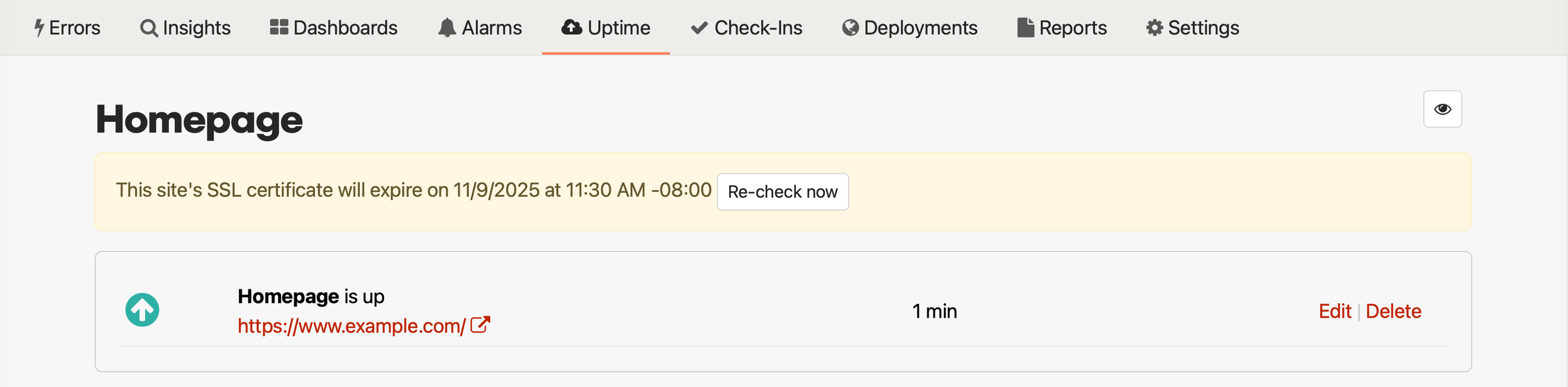
Honeybadger has your back! That's why we added SSL certificate warnings to our existing uptime monitoring feature. Once it's enabled, you'll receive an alert 21 days before any of your SSL certificates expire, giving you enough time to get everything in order and prevent any related outages.
What is SSL?
SSL, or more accurately, TLS, is the protocol that encrypts data transmitted across the web from server to client and back again. This keeps data safe from middlemen and helps protect websites against spoofing. In 1999, SSL 3.0 was updated under the new name of TLS (Transport Layer Security), though the name remains common enough that TLS is often referred to as SSL. This extends to the certificates, too. These days, the terms are essentially interchangeable.
What are SSL certificates?
SSL certificates are what allow websites to use the HTTPS system instead of the less secure HTTP. These days, modern browsers will even prevent their users from accessing a website that does not use HTTPS, unless they pass through a special screen and manually allow the connection to the website. And on your end, HTTPS makes your website secure from many kinds of attacks.
An SSL certificate contains the following information in a file:
- The domain name that the certificate was issued for
- Which person, organization, or device it was issued to
- Which certificate authority issued it
- The certificate authority's digital signature
- Associated subdomains
- Issue date of the certificate
- Expiration date of the certificate
- The public key (the private key is kept secret)
How to set up SSL certificate expiration monitoring
To receive certificate expiration warnings, you must first enable the "Check SSL certificate" option in your uptime check's settings, and the URL must be secure (it must begin with https://).
If you're a current Honeybadger user, you must also enable the "When my SSL certificates are about to expire" alert event for each alert/integration by navigating to Project Settings -> Alerts & Integrations -> [Email, Slack, etc.] -> Uptime Events. Honeybadger enables this setting by default for new users and integrations - we monitor SSL certificates automatically for ease of use.

That's it! You will now be alerted if one of your SSL certificates is about to expire! high five!
Don't let SSL monitoring be a blindspot
If there's a feature like SSL certificate expiration monitoring that could make this more useful for you, please get in touch with us. In the meantime, a free trial of Honeybadger will ensure you never have to worry about your SSL certificates going out of date. Sign up today, and you'll also be able to monitor your websites for all kinds of outages.
