GitLab + Honeybadger
Honeybadger's GitLab integration lets you find out where the error happened and then head to GitLab to make the fix in the Web IDE. Each backtrace line includes a link to the matching file and line in the GitLab UI.
Workflow where you want it
Honeybadger makes it easy to manage application errors in GitLab—automatically create issues, sync open/closed state, and more.
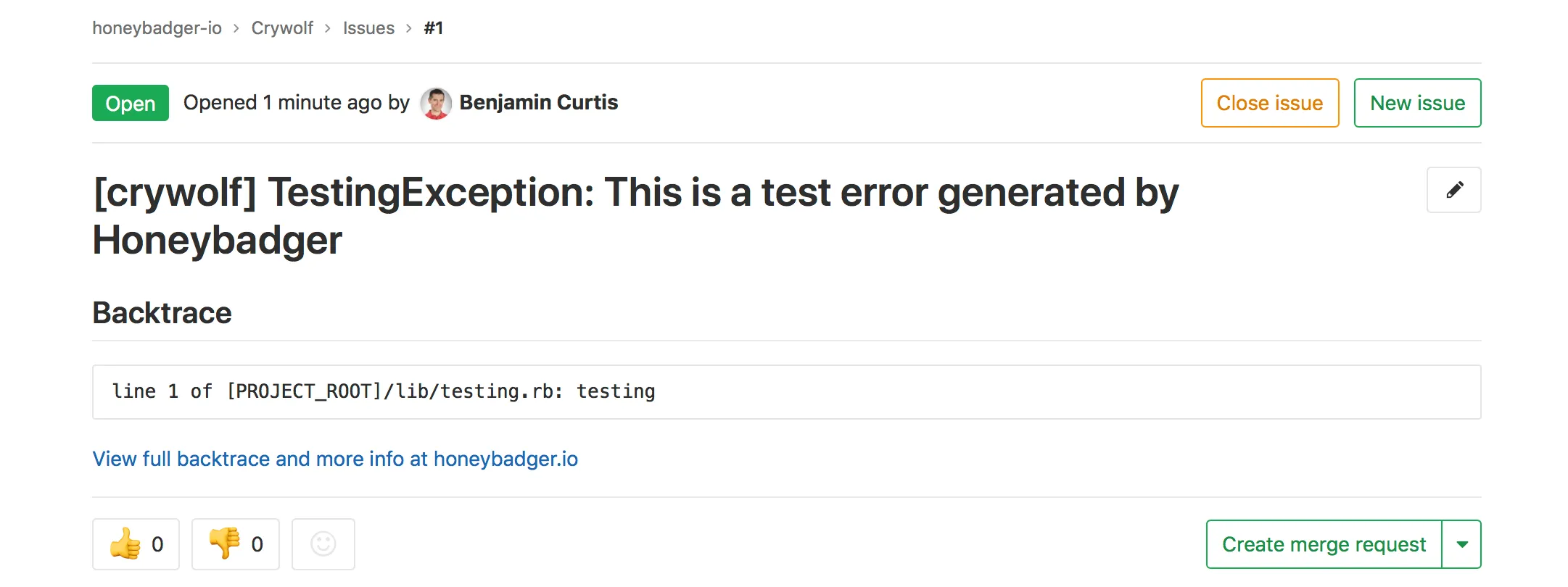
Automatically Create Issues
Whenever your app reports an error to Honeybadger for the first time, a
new issue is automatically created in your project.
Error Resolved? Issue Closed!
When you mark an error as resolved in Honeybadger, the corresponding
issue is automatically closed. If the error happens again, the issue is
reopened for you.
You're in Control
If you don't want to automatically create issues for new errors, you can
manually create them from the Honeybadger UI instead. Either way, you'll
see a link to the GitLab issue from Honeybadger, and from the GitLab
issue back to Honeybadger.
One-click to code
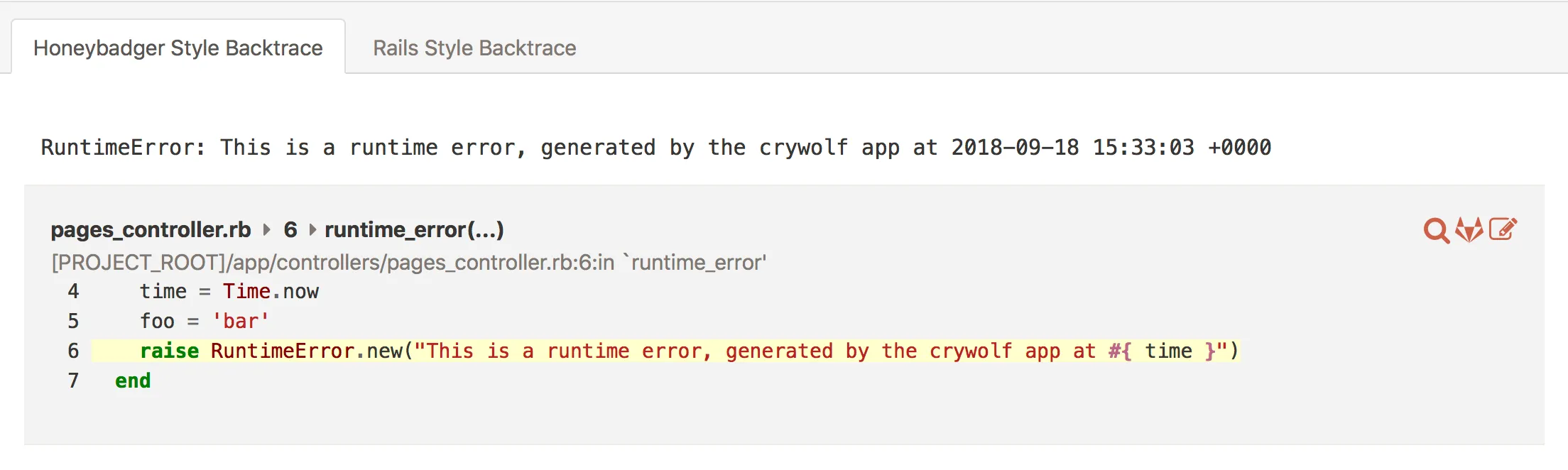
Honeybadger backtraces link directly to the code in your GitLab project to speed up troubleshooting.
Discover, Debug, Fix, and Deploy
Within seconds of a user getting an error in your application, you can
find out where the error happened and then head to GitLab to make the
fix in the
Web IDE
. Each backtrace line includes a link to the matching file and line
in the GitLab UI.
Self-hosted? No problem!
Whether you are hosted at GitLab.com or on your own servers, our GitLab
integration works the same. You'll get the same enhanced error
resolution workflow in the cloud or on premise.
Simplify your life with Honeybadger
Get monitoring done.
Get real-time alerts when code breaks, monitor performance, and fix errors in record time.